Hướng dẫn chi tiết
Bài 3: Mode BLE — Nhận dữ liệu từ ESP32 Node
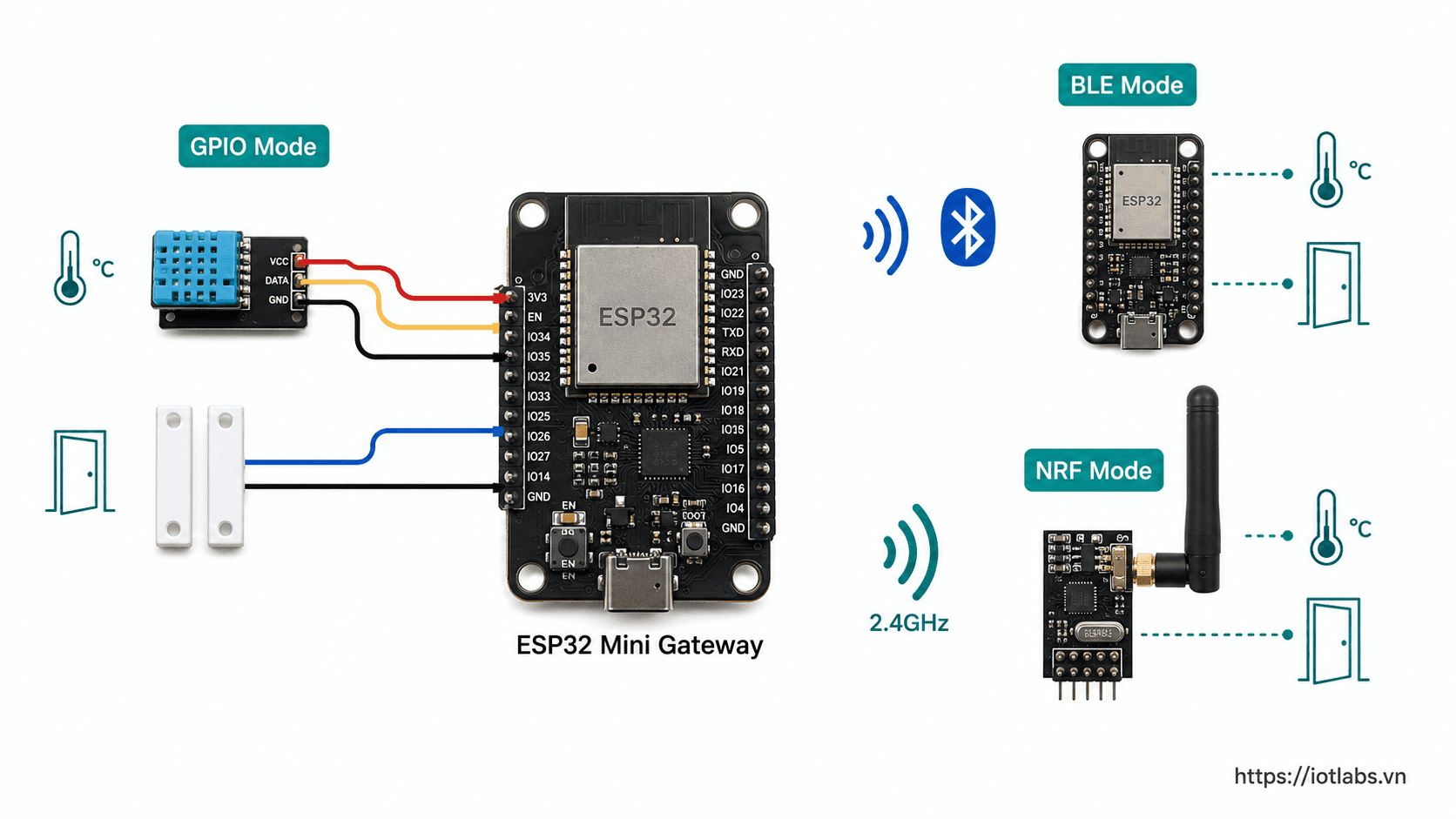
Nạp code BLE sensor node lên ESP32 thứ hai, cấu hình gateway sang Mode BLE (Huge APP partition), test nhận dữ liệu nhiệt độ qua BLE.
Cập nhật 10/05/2026
Tổng quan
ESP32 Node (quảng bá BLE)
  → ESP32 Gateway (scan BLE mỗi 5s)
    → MQTT → Dashboard
Bước 1 — Nạp code cho BLE Sensor Node
Dùng ESP32 thứ hai. Mở examples/ble_sensor_node/ble_sensor_node.ino.
- Board: ESP32 Dev Module
- Partition: Huge APP (3MB No OTA) ← bắt buộc
- Nhấn Upload
Mở Serial Monitor node (115200) — thấy node đang quảng bá:
[BOOT] BLE Sensor Node | Node ID: n01
[BLE] Advertising: IOTL:TH:n01:285:68:92
[DATA] Temp=28.5°C  Hum=68%  Batt=92%
Bước 2 — Cấu hình Gateway sang Mode BLE
Mở firmware/esp32_mini_gateway/config.h, đổi mode:
#define GATEWAY_MODE MODE_BLEKiểm tra WiFi và MQTT đã điền đúng.
Bước 3 — Nạp code cho Gateway
Mở esp32_mini_gateway.ino, chọn Partition Scheme: Huge APP (3MB No OTA) rồi Upload.
⚠️ Không đổi Partition Scheme → sẽ bị lỗi "Sketch too big".
Bước 4 — Serial Monitor Gateway (115200)
[BOOT] Mode: BLE
[WIFI] Connected | [MQTT] Connected
[BLE]  BLE scanner initialized
[BLE]  Scanning...
[BLE]  Node n01 | type=temp_hum | v1=28.5 | v2=68.0 | batt=92% | rssi=-65
[MQTT] Published to .../devices/n01/telemetry
Payload MQTT
{
  "gateway_id": "gw_edu_001",
  "mode": "ble",
  "source_id": "n01",
  "source_type": "temp_hum",
  "metrics": { "temperature": 28.5, "humidity": 68.0, "battery": 92 },
  "rssi": -65
}
Thêm DHT22 thật vào Node (tùy chọn)
- Kết nối DHT22: VCC→3.3V | DATA→GPIO4 | GND→GND
- Cài thư viện DHT sensor library by Adafruit
- Bỏ comment phần DHT22 trong
ble_sensor_node.ino